

Let’s move forward together in 2022
20/12/2021Manual de Mis Documentos MyHTG
14/03/2022Version 02/02/2022
Manual for My Shipments
When you enter the platform you will have access to the main menu. Here you can click on the “My shipments” section to consult the shipments made for HTG Express.
MY SHIPMENTS
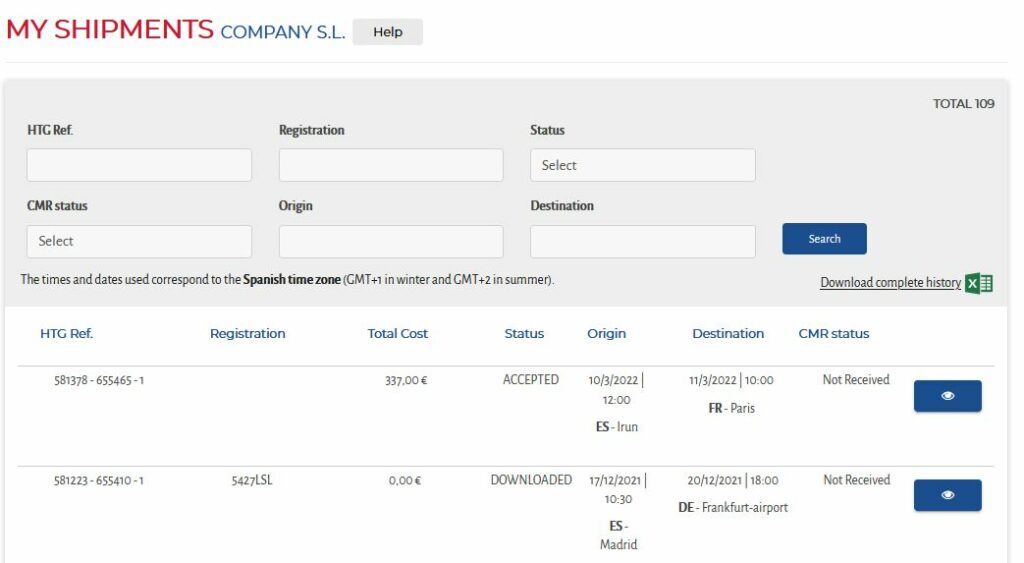
This is a list of the shipments confirmed and/or carried out for HTG Express within the last 2 years.
SEARCH FOR A TRANSPORT
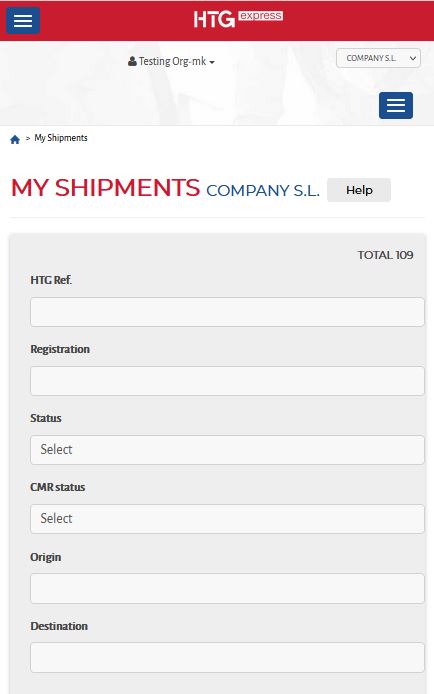
You can search by HTG reference number, vehicle registration number, status, CMR status, place of loading and place of unloading. Once you have completed the filters, click on “Search”.

In the list you will see the status of the transport:
- ACCEPTED > once you have confirmed receipt of the loading order that you have received by email.
- IN PROGRESS > from the arrival at the place of loading, transit initiated, until the arrival at the place of unloading.
- UNLOADED > once the goods have been unloaded.
- DISCUSSION > Pending to clarify some aspect of transport
- FINISHED > Ready for invoicing

You can also download an Excel file with the list of all your shipments.
TRANSPORT DETAILS
Pressing this button opens a screen with the details of the transport:

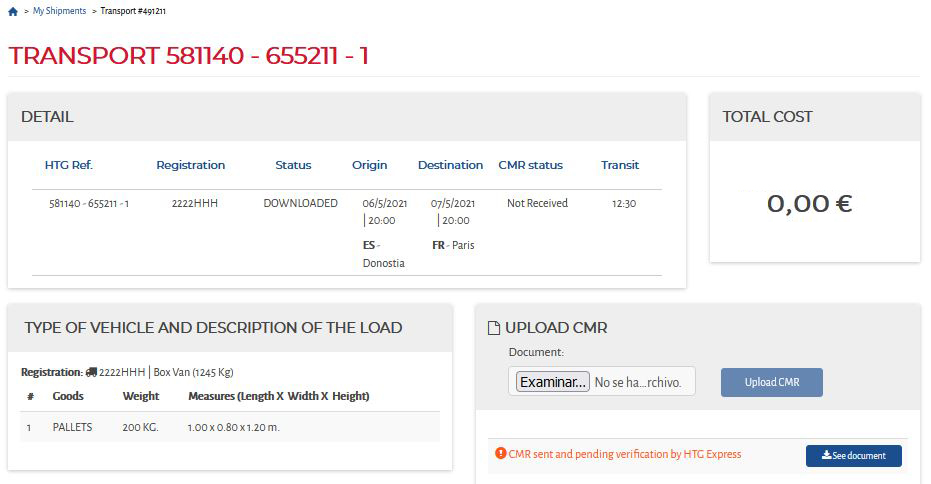
You can also see the status of the CMR.
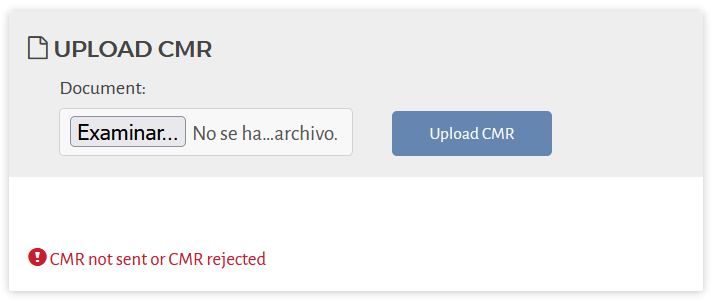
- CMR pending shipment or CMR rejected > In addition to the APP, you can upload the CMR through this platform.
- CMR sent and pending verification by HTG Express > No new upload is allowed.
- CMR Valid > If it is available you can consult it and if it is not available we are still processing it internally, and within a brief delay you will be able to check it. Please be aware that it might be a type of transport involves customs or other specific documentation so the CMR is not claimable.
CMR UPLOAD
Click on the ”Browse” button to attach it from your computer and then click on the ”Upload CMR” button.
If in doubt, please contact suppliers@htg-express.com.